Vacuum Maintenance Guide: Extend Life & Save Money
GreatPickDeals
Table of Contents
Vacuum Maintenance Guide: Complete Care & Repair Tips
Welcome to our Vacuum Maintenance Guide — your complete resource for keeping upright, canister, stick, and robot vacuums running strong. Regular care reduces breakdowns, restores suction, improves indoor air quality, and saves you money on repairs and replacements. This guide walks through routine schedules, part-by-part maintenance (filters, belts, brush rolls, hoses), troubleshooting common problems, and when it’s time to seek professional service or upgrade. Whether you own a full-size canister vacuum, a cordless stick, or a robot cleaner, these proven steps will help you maintain peak performance and extend the life of your machine.
Quick Picks
- Daily: Empty dust bins or canisters after each heavy use; quick checks of brush rolls and visible debris.
- Weekly: Inspect and clean pre-motor filters and brush roll; check suction and hose blockages.
- Monthly: Deep-clean HEPA or exhaust filters (washable ones), check/replace belts, and inspect battery contacts on cordless units.
Manufacturer Support & Parts Pages
For genuine parts and detailed service manuals, use the official manufacturer sites below:
Basic Maintenance Schedule
Having a fixed schedule helps you avoid performance loss. Below is a practical plan that applies broadly across modern vacuums:
- After every use: Empty the bin or replace the dust bag if full; remove large debris from the hose and brush area.
- Weekly: Remove hair and fibers from the brush roll, check for blockages, inspect cords and battery seating.
- Monthly: Wash washable filters, check belt tension and condition, inspect seals and gaskets for leaks.
- Every 6–12 months: Replace standard filters if not washable, replace belts and worn brush rolls, service bearings if accessible.
- Annually: Consider deep-cleaning the entire unit or taking it to a service center for motor inspection if you use it heavily.
Vacuum Maintenance Guide: Filters
Filters are the heart of indoor air quality and suction performance. HEPA and multi-stage filtration systems trap fine dust, allergens, and pet dander — but they clog over time. Follow these steps:
- Check the user manual to identify pre-motor and post-motor filters and whether they are washable.
- Wash washable foam or felt filters in lukewarm water only; air-dry completely for 24–48 hours before reinstalling.
- Replace disposable filters according to the manufacturer (typically every 3–12 months depending on use and filter type).
- Never run the vacuum with a saturated or compressed paper filter — this risks motor damage.
Vacuum Maintenance Guide: Brush Roll Care
Brush rolls (beater bars) pick up hair and fibers, which can wrap around the axle and bearings. To maintain brush rolls:
- Remove the brush roll periodically (follow your manual) and cut away hair wraps with scissors. Use a comb or seam ripper for stubborn tangles.
- Inspect the bearings for smooth rotation; if stiff, clean debris or replace the roll assembly.
- Check bristle condition — if bristles are flattened or missing, replace the brush roll for better agitation.
Vacuum Maintenance Guide: Hoses, Wands & Seals
Blockages or cracked seals reduce suction dramatically. Routine checks include:
- Run a flexible object (like a broom handle) gently through the hose to clear clogs, or detach and visually inspect the hose interior.
- Inspect wand and hose connections for cracks and secure seals; replace O-rings or gaskets as needed.
- Clean attachments and crevice tools regularly — sticky residue can build up on brushes and upholstery tools.
Vacuum Maintenance Guide: Belts & Motor Care
Belts drive the brush roll and should be checked often. A worn or stretched belt causes slipping and poor agitation; a broken belt stops brush rotation entirely. Motor issues often stem from blockages or overheating due to a clogged filter.
- Inspect belts for cracks, glazing, or stretching; replace annually or when wear is evident.
- Smell of burning or unusual noise? Stop using the unit and inspect for jams — persistent symptoms may mean motor service is required.
- Keep motor vents clear of dust; use low-pressure compressed air to blow out interior dust when safe and recommended by the manufacturer.
Cordless & Robot Vacuum Maintenance
Cordless stick vacuums and robot cleaners require additional attention to batteries and electronics:
- Battery care: Avoid leaving batteries fully depleted for long periods. Store cordless vacuums with partial charge in moderate temperatures to prolong battery life.
- Docking cleanliness: Keep robot docking contacts clean; wipe with a dry cloth monthly and ensure the dock is placed on an even, unobstructed surface.
- Software updates: Check the manufacturer app or site for firmware updates that may improve navigation or battery management.
Vacuum Maintenance Guide: Deep Cleaning Process (Step-by-Step)
Perform a quarterly deep clean to revive suction and remove trapped allergens:
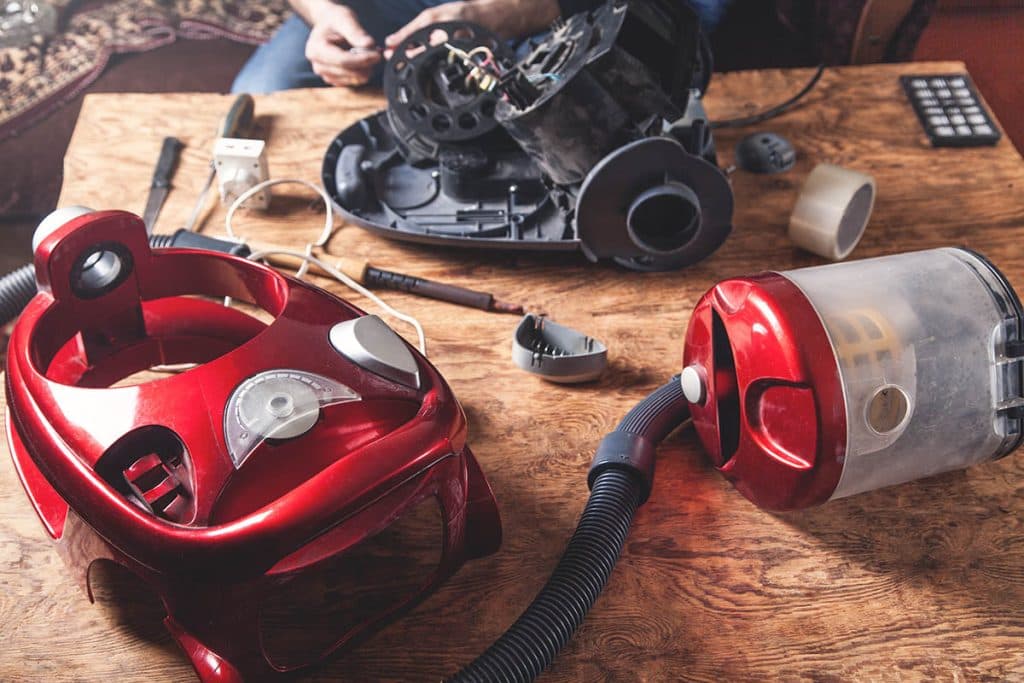
- Unplug and disassemble the vacuum according to the manual.
- Empty dustbin; for bagged vacuums, replace the bag if near capacity.
- Remove and wash washable filters; let them air-dry completely before reinstalling.
- Clean or replace brushes and belts; use compressed air to blow dust out of the motor housing if recommended by the manufacturer.
- Wipe the exterior and interior compartments with a damp cloth and mild detergent; avoid getting electrical parts wet.
- Reassemble and test suction on a low-traffic rug; listen for unusual sounds.
When to Replace Parts vs. When to Replace the Vacuum
Parts replacement is typically much cheaper than buying a new machine, but there are thresholds where replacement is more cost-effective:
- Replace belts, filters, brush rolls, or hoses as routine maintenance — these should be replaced periodically and often restore performance.
- If the motor shows signs of failure (smoke, burning smell, grinding, or no power despite electrical checks), repair costs may approach replacement cost; evaluate against vacuum age and original price.
- For cordless vacuums, when battery runtime drops sharply and replacement battery costs exceed half of a new machine’s price, consider a full replacement.
- If suction remains poor after replacing filters and belts and checking for blockages, the vacuum’s compression or motor may be failing — time to upgrade.
Cost-Saving Tips & Recycling Old Vacuums
Save money over time with preventive care and responsible disposal:
- Buy quality filters and OEM belts to maximize lifespan—cheaper parts often fail sooner and can damage other components.
- Keep a small toolkit and replacement belt on hand to fix issues quickly and avoid professional service fees.
- Recycle old vacuums via manufacturer take-back programs or local e-waste centers; some manufacturers offer trade-in discounts for recycling.
What to Consider When Buying
Choosing a vacuum that’s easier to maintain can save time and money. Consider these factors when shopping:
Filtration Type
HEPA or multi-stage filtration captures fine particles — ideal for allergy sufferers. Check whether filters are washable or replaceable and budget for replacements.
Brush Roll Accessibility
Look for brush rolls that are easy to remove without tools; this makes hair removal and replacement far simpler.
Availability Of Parts
Choose brands with widely available replacement parts and clear part numbers — this keeps repairs affordable and quick.
Design For Your Floor Types
Consider whether the vacuum has adjustable height and dedicated settings for carpets versus hard floors. Brush roll control and suction modulation make maintenance easier and prevent wear.
Battery & Motor Specifications (Cordless Models)
Battery capacity, cell type (Li-ion), and replaceability matter. Non-serviceable batteries make long-term ownership costly; user-replaceable batteries extend usable life.
Frequently Asked Questions
How often should I clean my vacuum filter?
Check the filter type and the manufacturer’s recommendations. As a rule of thumb, washable pre-motor filters should be rinsed every 1–3 months and left to dry fully; disposable filters typically need replacement every 3–12 months depending on usage and household conditions like pets or heavy dust.
Why is my vacuum losing suction even after emptying the dust bin?
Loss of suction is commonly caused by blockages in the hose, clogged filters, a damaged belt, or leaks at seals. Inspect the hose and wand for obstructions, replace or clean filters, and check for loose connections or cracks in seals. If the issue persists, worn motor or internal chambers may require professional inspection.
Can I use household soap to clean washable filters?
Use mild dish soap only if the manufacturer permits it. Some filters are sensitive and should be rinsed in plain water only. Always consult the manual. Never machine-wash paper or HEPA filters that are not explicitly labeled washable.
How do I remove hair tangled around the brush roll?
First disconnect the vacuum. Remove the brush roll according to the manual. Use scissors or a seam ripper to cut wrapped hair, then pull out the cut strands with tweezers or pliers. For robot vacuums, many manufacturers provide a cleaning tool to lift hair from bearings and bristles.
Is professional vacuum servicing worth it?
Professional servicing is worthwhile for complex motor issues, electrical faults, or when you prefer a deep overhaul. For most belt, filter, and brush problems, DIY maintenance suffices. Compare the service cost to replacement cost—if repairs exceed roughly half the price of a new unit (adjust for age and model), replacement is often a better value.
Additional Resources & Authoritative Guidance
For energy and indoor air quality context, see guidance from government and research sites such as the U.S. Department of Energy and the U.S. Environmental Protection Agency. These pages explain particle filtration benefits and how efficient appliances support better air quality.